Personal links and a general link for your wedding invitation
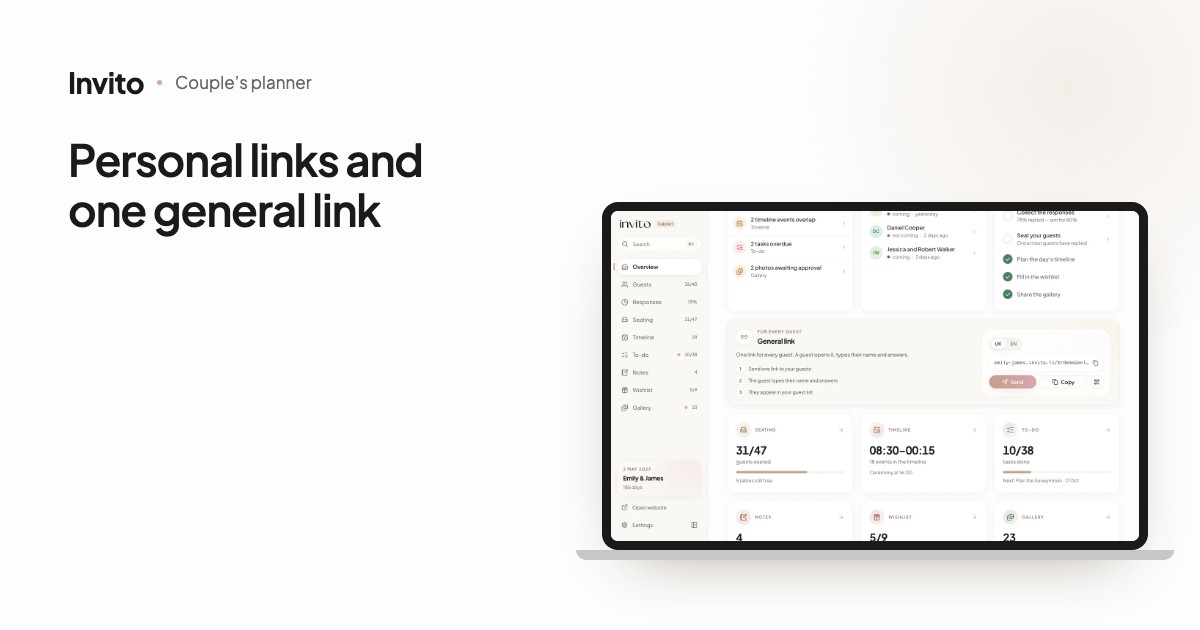
Every new INVITO invitation site now works with both kinds of link at once: a personal link for each invitation, which greets the guests by name, and one general link, where the guest types their own name and answers. You no longer have to choose between them. You find the general link in the couple’s app on the Overview (the General link card with Send, Copy and a QR code) and above the list in Guests. Every answer sent through the general link appears in your guest list as a new invitation marked with a link icon. Answers are not merged automatically: if a guest answers twice, you delete the extra invitation yourself. The general link is not meant for public posting — send it only to the people you invite.
Some guests you know by name: parents, godparents, close friends. Others you don’t: colleagues coming as a couple, your partner’s relatives whose names you never got, guests with a printed invitation. Until now you had to pick one: named links or a general link. Every new INVITO site now has both.
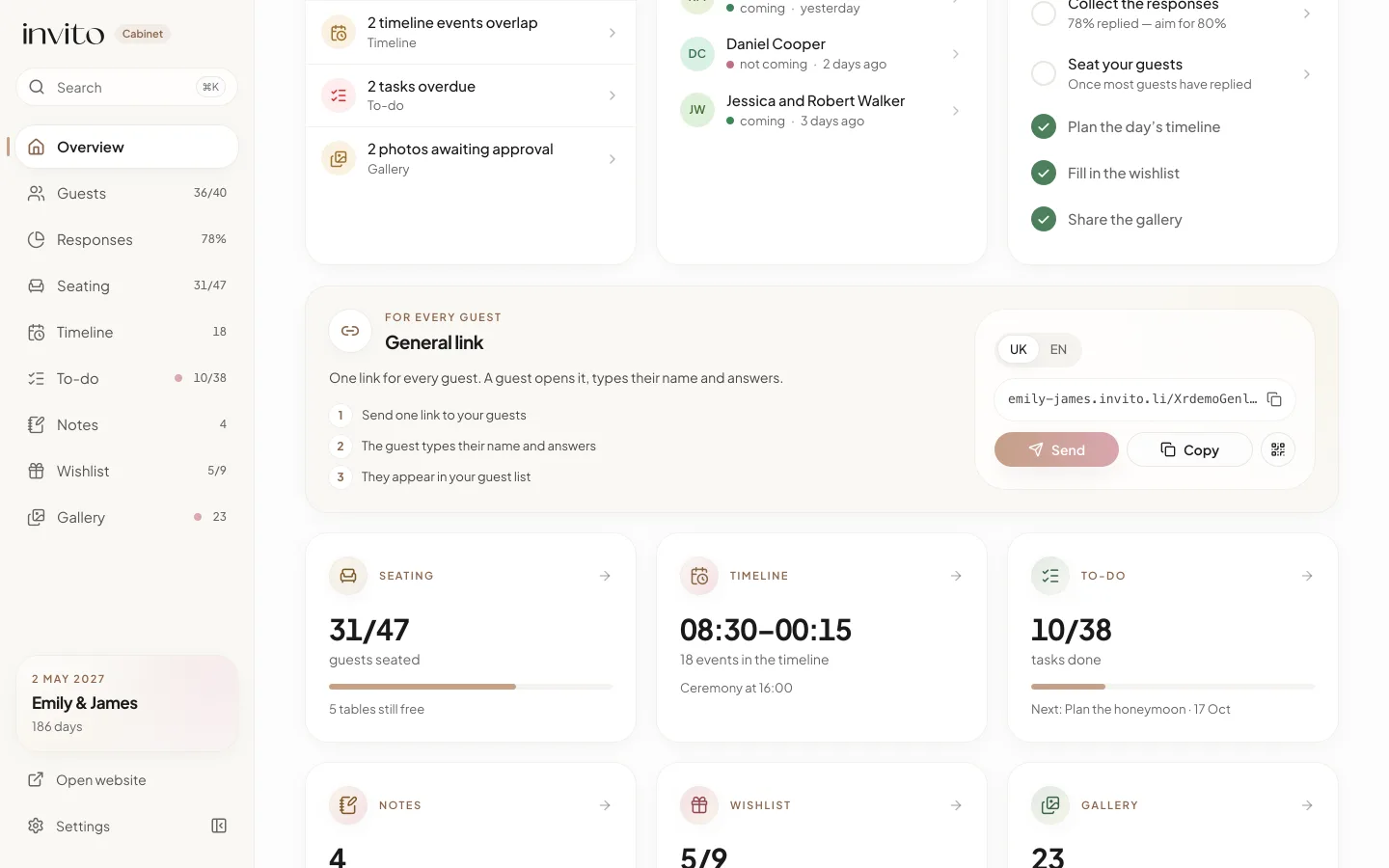
The General link card on the Overview: the link, three steps and the buttons to send it. Example with made-up data.
How it works
- Open the couple’s app in your browser — there is nothing to install.
- On the Overview, find the General link card, labelled ‘For every guest’. Under the description are three steps: ‘Send one link to your guests’, ‘The guest types their name and answers’, ‘They appear in your guest list’.
- Tap Send (your phone’s share menu opens; if the browser has none, the link is copied), Copy or the QR icon. If your invitation has more than one language, the Invitation language switch gives you the link in the language you need.
- Personal links live in Guests: on a phone that is the tab at the bottom of the screen, on a computer an item in the sidebar. Every invitation has buttons to copy its link and show its QR code.
INVITO sends nothing to your guests: you pass the links on yourselves — in a messenger, by email or as a QR code.
Who gets a personal link and who gets the general one
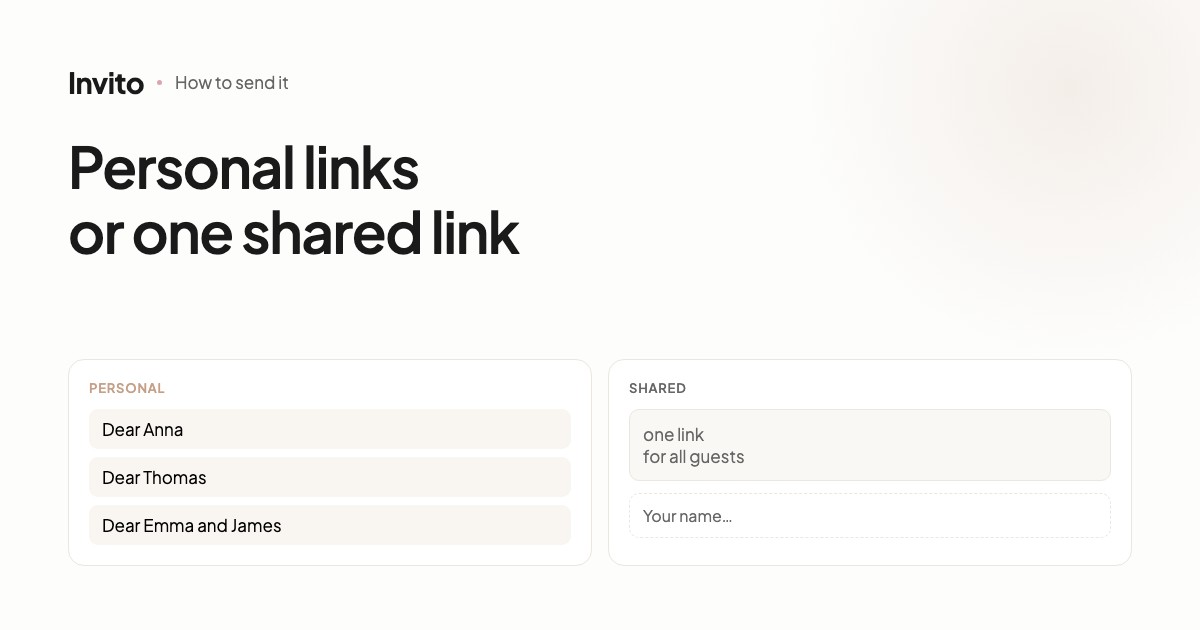
A personal link — one per invitation. The guest sees their own names in the greeting, and you choose the form of address for each invitation: for him, for her, for several people or for a family. Names appear exactly as you typed them. You tick these invitations as sent, and they are included in reminders. This is the right choice for close family and friends whose names you know.
The general link — one for the whole site. It is for people whose names you don’t have, for a group that is easier to reach with one link, and for printed invitations with a QR code. Everyone who opens the general link sees the same invitation, without individual settings.
For more on the difference between the two, read personal links or a shared link.
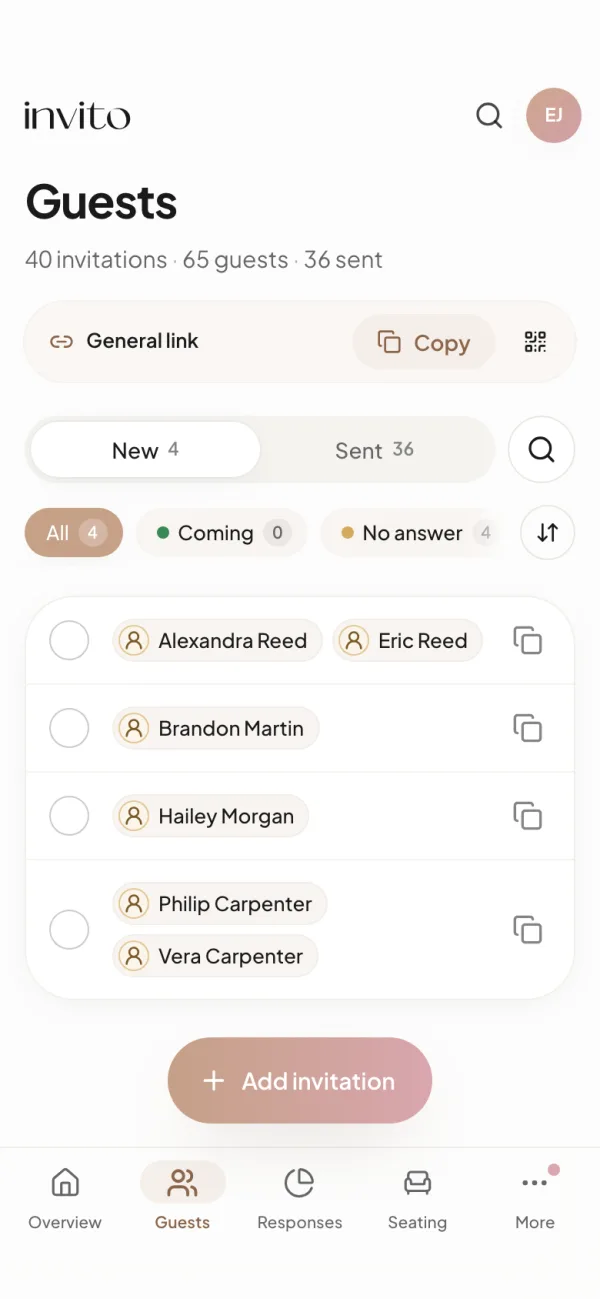
Guests on a phone: the general link is always at hand, right above your personal invitations.
What a guest sees on the general link
The invitation opens without names. Instead, it addresses everyone, for example ‘Dear guests’. The exact sentence depends on how the greeting is written in your design.
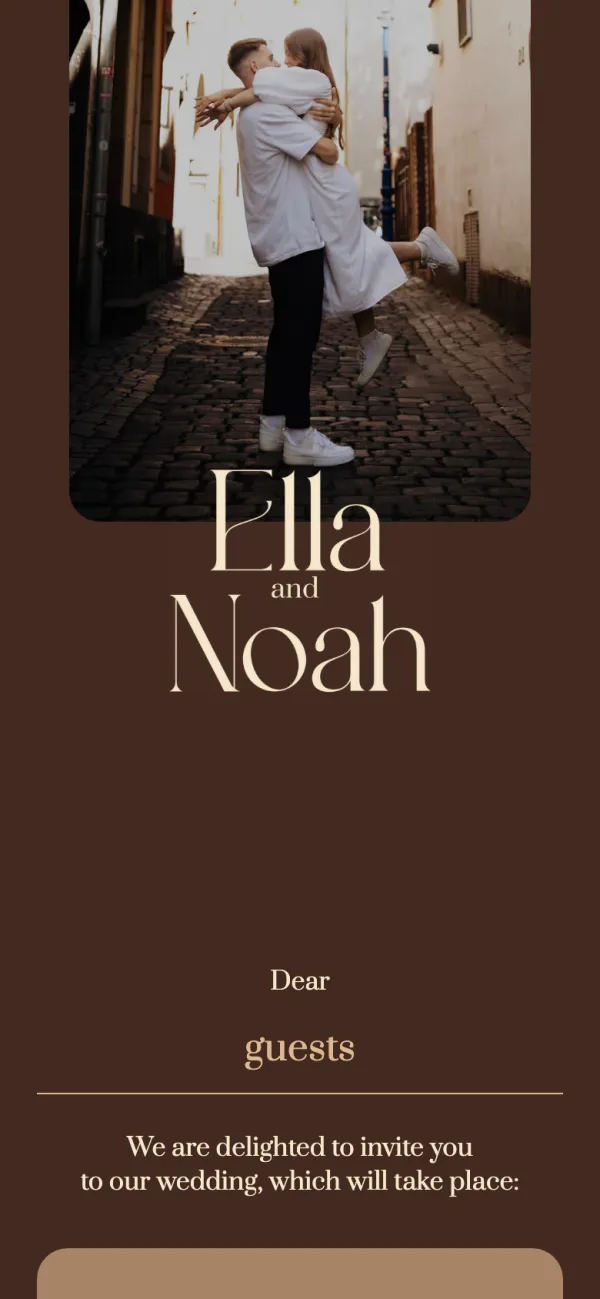
The invitation on the general link: the greeting speaks to all your guests.
In the reply form the guest types a First name, and a Last name field appears. A new empty row is added on its own, so they can list everyone coming with them. There is one yes-or-no answer for the whole group. After sending, the guest sees ‘Thank you for your response!’.
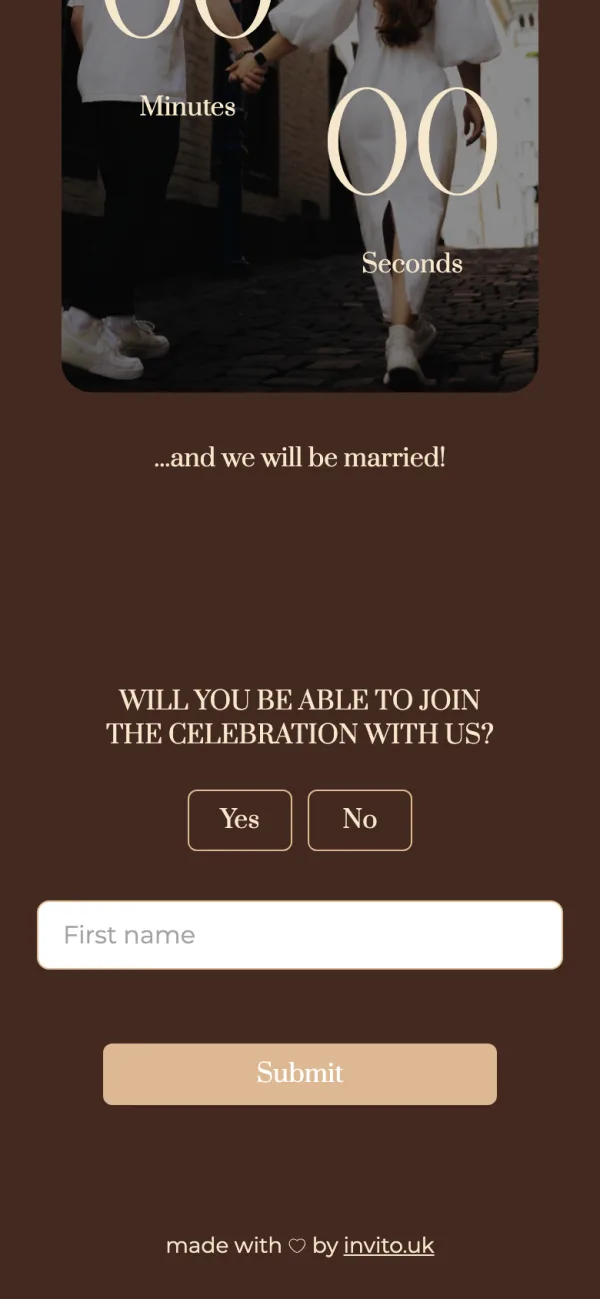
The guest types the names themselves — their own and those of the people coming with them.
If the guest opens the same link again in the same browser, they see their answer and can change it — the entry is updated. From another phone or browser, an answer creates a new invitation.
A QR code for printed invitations
The QR button opens the general link’s code with a hint: ‘Point a phone camera at it — the invitation opens and the guest types their name. Add it to your printed invitation.’ You can copy the code or download it as a PNG file for the printer.
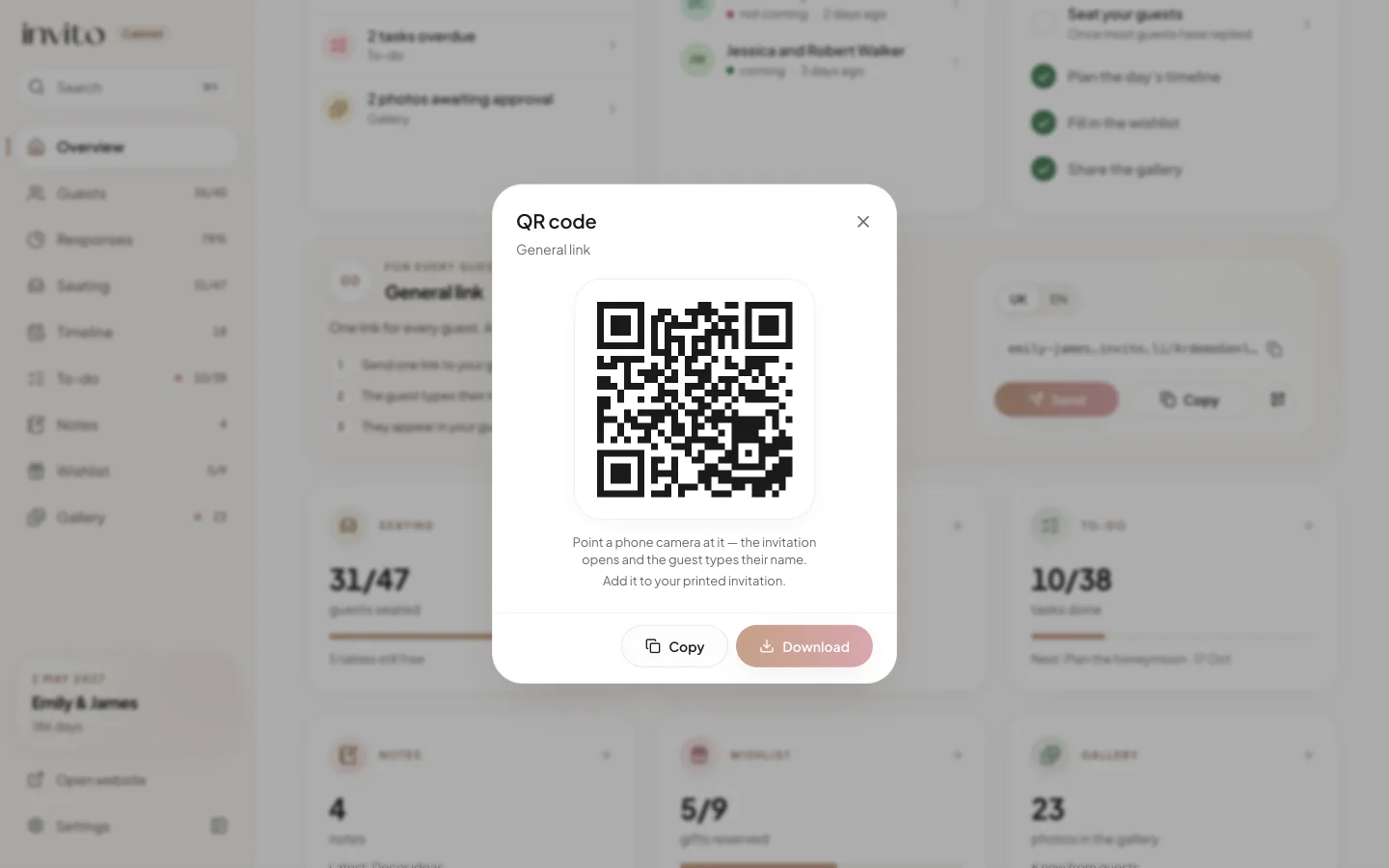
The general link’s QR code: one image for all your printed invitations.
Answers in your list, and duplicates
Every answer through the general link becomes a new invitation in Guests. Instead of the sent tick, it shows a link icon with the tooltip ‘Via the general link’. These invitations sit in the Sent tab and are not included in reminders.
The app does not merge answers automatically. If your aunt answered through her personal link and through the general one, you will see two invitations — delete the extra one, with the link icon. And keep in mind: on the general link you only see who has answered. The app cannot show you who received it but has not replied.
What you get
- No more choosing: close family get an invitation with their names, everyone else one shared link.
- Guests whose names you didn’t know add themselves, and their answers land in the same list.
- One QR code on all your printed invitations leads to the same site.
- Answers through the general link stand out at a glance, so duplicates are easy to find and delete.
Send the general link to the people you invite — don’t post it publicly. If your couple’s app has no General link card, write to us. Read more in how the invitation link works and a QR code on your wedding invitation. Browse invitation designs.
Frequently asked questions
- Do I have to choose between personal links and a general link?
- No. Every new INVITO invitation site works with both at the same time. Each invitation in your guest list has its own personal link, and there is one general link for the whole site. The site knows from the link itself which one a guest opened.
- What does a guest see when they open the general link?
- The same invitation, without names: the greeting addresses everyone, for example ‘Dear guests’ (the exact wording depends on the design). In the reply form the guest types their first and last name, can add rows for the people coming with them, and answers once for the whole group.
- Where do answers sent through the general link show up?
- In Guests in your couple’s app, as a new invitation with the names the guest typed. It is marked with a link icon whose tooltip reads ‘Via the general link’, and it sits in the Sent tab.
- What if a guest answers through both their personal link and the general link?
- The app does not merge these answers automatically. Find the invitation with the general-link icon and delete the extra one with the normal delete, which asks you to confirm. If a guest answers again from the same browser, their answer is updated rather than added a second time.
- Can I post the general link in my stories or an open group chat?
- It is better not to. The general link is for people you are inviting but whose names you do not have in your list. Anyone who has it can answer through it, so send it only to the people you invite, or print its QR code on your invitations.
- My couple’s app has no General link card. Why?
- Sites created after the update get a general link automatically. Sites made earlier may not have one. If your couple’s app has no General link card, write to us.
Want an invitation like this?
Pick a design — we do the rest. Send us your photos and wishes, and we prepare the site, the monogram and the language versions.